Install new wordpress
Create your own database. Connect to the MySQL console with this command.
|
|
After you type the password, you can start to create the database. Of course you can change the name of the database and the user.
|
|
FINALLY it’s time to install WordPress inside the /raid/srv/vhosts/domain.tattva.se/http folder.
|
|
Now you have to change the ownership of the folder wordpress to the http group.
|
|
The last step is to create the WordPress config file starting from the default one.
|
|
All you have to do is opening the file
|
|
and set the name of the database, the user and the password.
|
|
Now everything is done. To check if it is true, open the broswer and go to http://localhost/wordpress and you should see a page like this.
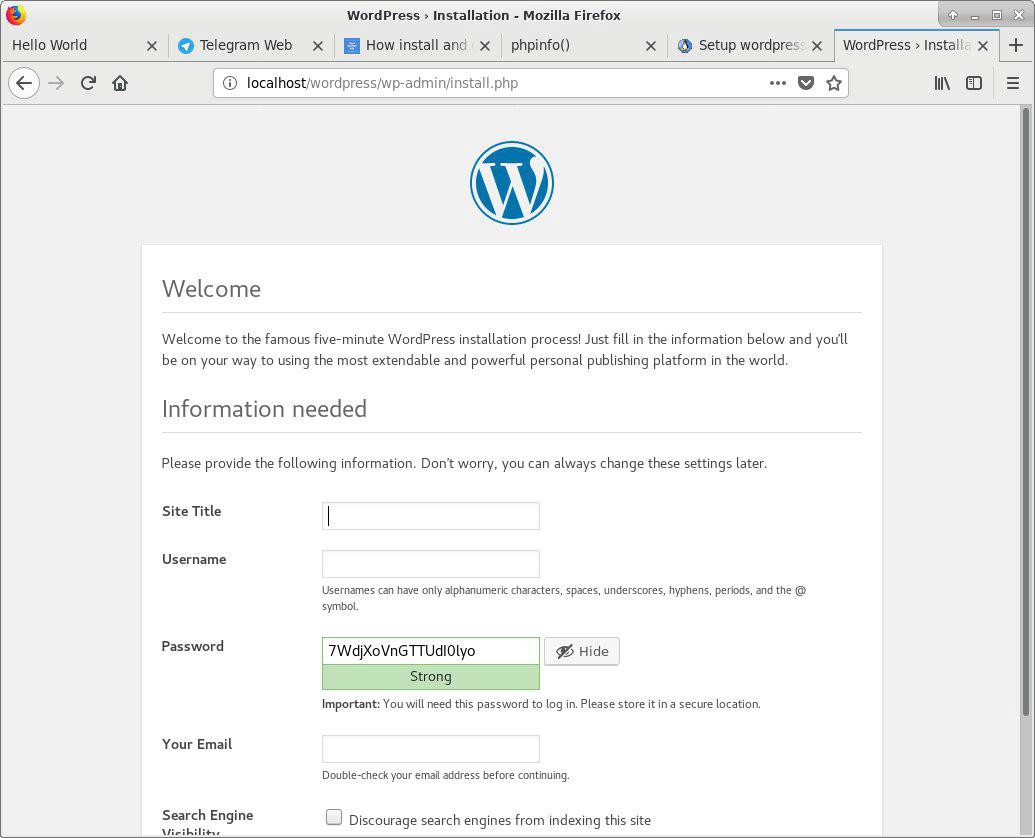
Now you can go through the classic setup of WordPress. Enjoy it!
from: https://medium.com/@marcogomiero/how-to-install-wordpress-on-arch-linux-23db216fd0a7